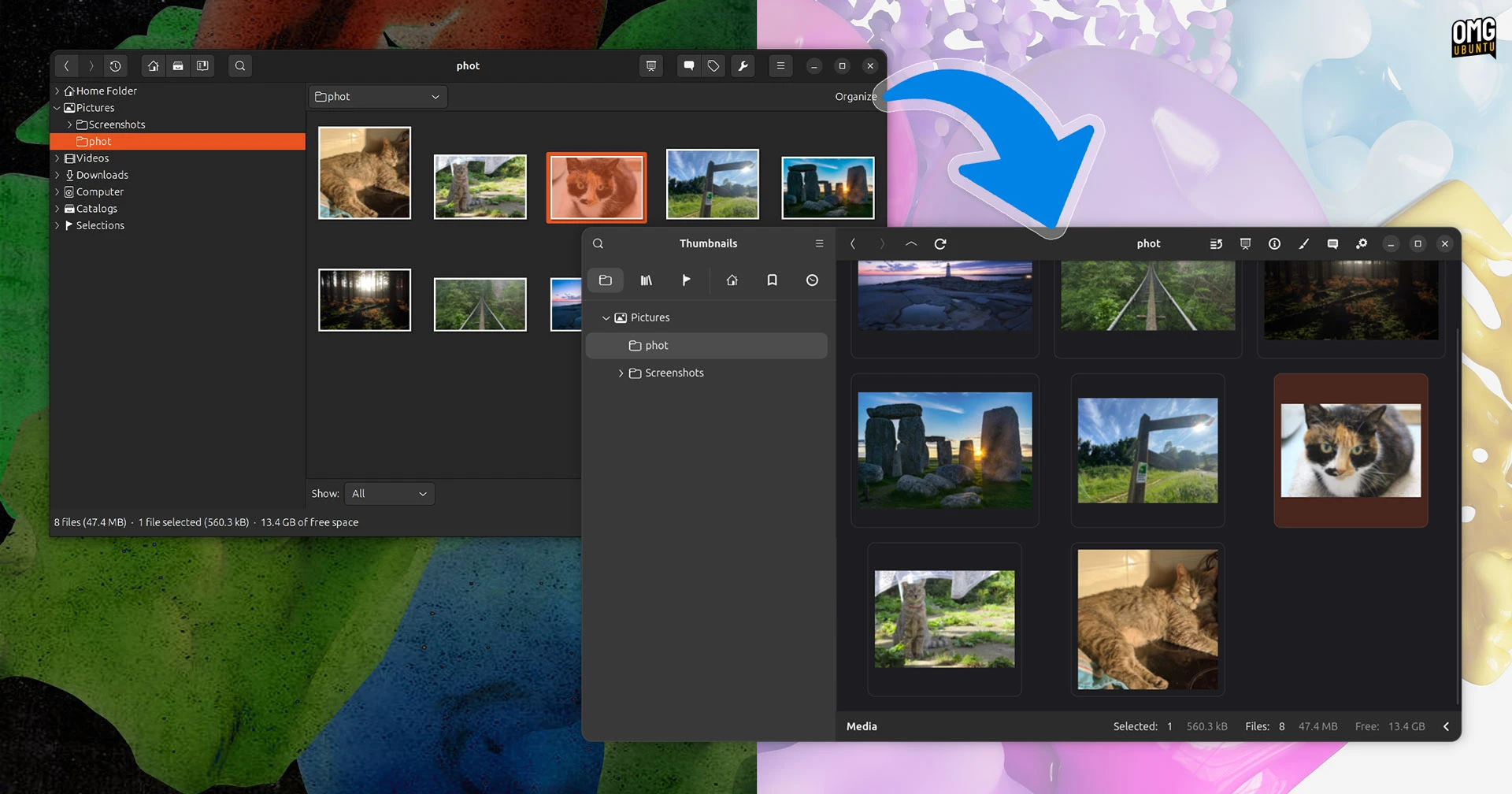
gThumb, the beloved open-source image viewer and organizer, has undergone a dramatic transformation. Ported to GTK4 and libadwaita and rewritten in Vala, its alpha build (version 4.0) introduces a sleek, modern interface that makes the old version look like a relic. But the changes go far deeper than aesthetics — from new animation support to a censorship filter, here are 7 things you need to know about this groundbreaking update.
1. A Complete Visual Overhaul
The most striking change in gThumb 4.0 is its appearance. The move from GTK3 to GTK4, combined with the libadwaita design language, gives the application a clean, adaptive look that feels at home on modern Linux desktops. Toolbars are simplified, icons are refreshed, and overall spacing is more generous. This isn't just a coat of fresh paint — it's a fundamental rethinking of how the interface interacts with users, making gThumb barely recognisable compared to its predecessor.

2. Rewritten in Vala for Better Performance
Behind the scenes, gThumb has been rewritten in Vala, a programming language that compiles to native code while offering high-level features. This rewrite not only enables seamless integration with GTK4 and libadwaita but also improves performance and maintainability. Developers can now add features faster, and users can expect snappier load times and smoother browsing of large photo collections.
3. Support for WEBP and PNG Animations
One of the most requested features is now here: gThumb can display animated WEBP and PNG images. Whether you're viewing a looping graphic saved from the web or a lightweight animation from a digital art project, the viewer handles them smoothly. This brings gThumb in line with modern image formats and makes it a more versatile tool for everyday use.
4. Export Images to the JXL Format
Photographers and enthusiasts will appreciate the new ability to export images in JPEG XL (JXL) format. JXL offers superior compression and quality compared to traditional JPEG, making it ideal for archiving high-resolution images without sacrificing detail. gThumb's export dialog now includes JXL as an option, giving you more control over your output files.
5. Built-in Censor Filter for Privacy
Need to blur out a face, license plate, or sensitive text? The new censor filter lets you pixelate or blur parts of an image with a simple brush tool. This feature is invaluable for sharing photos on social media or in publications while protecting privacy. It works non-destructively, so you can adjust or remove the effect later.
6. Alpha Build Available for Testing
Curious to try these changes yourself? An alpha build of gThumb 4.0 is already available for download. While still in early stages and not recommended for production use, it gives the community a chance to test new features, report bugs, and shape the final release. Expect frequent updates as the developers work toward a stable version.
7. A Glimpse Into the Future of Linux Imaging
gThumb 4.0 represents more than an update — it's a statement. By embracing modern toolkits and formats, it sets a new standard for open-source image management. The visual overhaul, animation support, JXL export, and privacy tools together create a cohesive, forward-looking application. As Linux desktop environments evolve, gThumb proves that native apps can be just as polished as their web-based counterparts.
In conclusion, gThumb's GTK4/libadwaita port is a bold reinvention that breathes new life into a classic tool. Whether you're a longtime user or new to the app, these seven highlights show why version 4.0 is worth watching. Download the alpha, explore the changes, and join the conversation to help shape the future of gThumb.